Project Zomboid Server Admin Commands and Tools
Cheat panel, Admin Tools mod, sandbox reload, and moderation etiquette for dedicated hosts.
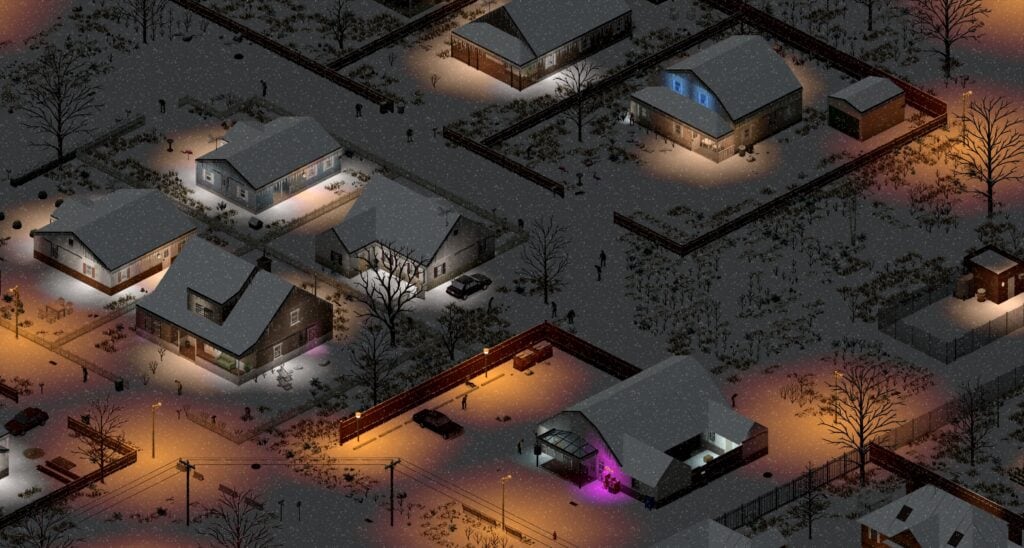
Running a Project Zomboid dedicated server means answering the same handful of questions every weekend: how do you teleport a lost player back, how do you reset a sandbox value without a full restart, and what is the right way to issue restocks during a public event. Build 42.20.4 stable (26 August 2026 security hotfix) removed loadstring / loadstream from Lua contexts, so some legacy admin mods that hot-reloaded code now require explicit rebuild. This guide covers the default cheat panel, the Admin Tools mod by the community, sandbox reload commands, player moderation, and patch-aware etiquette for hosts.\n\nFor server setup, pair this page with Dedicated Servers and Servers and Co-op. For sandbox tuning, see Sandbox Settings.\n\n## Default in-game admin access\n\nProject Zomboid servers enable admin access through server-options.ini and the player account whitelist. The base game supports a chat-driven admin channel for hosts only.\n\nSetup steps:\n\n1. Add your Steam or GOG account name to the admin section of the server config.\n2. Set AdminUsername and Password for password-protected access on rented boxes.\n3. Restart the server, then log in. Your chat prompt gains the admin tag in Servers and Co-op UIs.\n4. Type !help in the admin channel to see available commands on your current build.\n
Default commands vary by patch; the cheat panel may be locked behind a server option for hosted rentals. Always check your hosting provider’s admin docs first-some companies restrict !additem and similar commands.\n\n## Cheat panel: the survival-focused admin toolkit\n\nThe vanilla cheat panel opens with the !cheats chat command (host only). It surfaces the same toggles admins used to set at world creation, plus several that have moved into the sandbox after Build 42. Use it for:\n\n- !toggle to flip common cheats like Build (free building), NoClip, or Invisible.\n- !additem <item> <count> to grant items to yourself or a target player.\n- !godmode for testing combat balance without dying.\n- !time to set the in-game hour during scheduled events.\n- !weather to clear rain or trigger storms for testing.\n
The cheat panel does not automatically grant admin to other players. It is your host-only tool for testing and live support.\n\n## Admin Tools mod: community power features\n\nThe community-maintained Admin Tools mod (by Whicker, currently the leading mod on the Steam Workshop for B42.x compatible releases) extends the cheat panel with safer, hosted-server-grade controls. After Build 42.20.4 it ships without loadstring and works on the new security baseline.\n\nNotable commands:\n\n- !additem <PlayerName> <ItemName> <Amount> - grant items without leaving the admin’s inventory.\n- !addxp <PlayerName> <SkillName> <Level> - raise a survivor’s skill for testing or events.\n- !teleport <PlayerName> <x,y> - move players back to base or to a known safe house.\n- !removezombies - clear all zombies in the current chunk. Useful mid-event when the chunk unloader fails.\n- !restock - reset container states globally.\n- !kick <PlayerName> and !ban <PlayerName> - player moderation.\n- !saveworld - force a save outside the autosave interval.\n
Confirm the installed version against your server build: Build 42.20.4 hotfixes changed Lua permissions, so older Admin Tools mod builds will throw errors. Update the mod through the Workshop or your manual download folder before going live.\n\n## Sandbox reload without restart\n\nThe !reloadoptions command reloads SandboxVars.lua without restarting the server. Use it after tuning a single value (zombie migration frequency, helicopter event day window, loot respawn hours) so players do not see a disconnect pop.\n
Best practices:\n\n- Always announce !reloadoptions in Discord before running it. Some sandbox changes affect zombie populations.\n- Combine with Sandbox Settings documentation so you do not accidentally enable a setting that breaks your save.\n- Backup your save with Save Backup before any live reload.\n
If your server does not have !reloadoptions, it means the underlying cheat panel is locked by the host provider. Most major server hosts (G-Portal, Apex, Bisect) enable it by default; smaller hosts may require a request.\n\n## Chunk management and performance commands\n\nThe Build 42.20 map glow-up roughly doubled the playable area. Servers that pre-existed the 42.20 line often run into chunk loading issues when groups drive long distances. Useful commands:\n\n- !chunkreload - forces a reload of the chunk around the admin’s position. Helpful when textures go grey.\n- !vehicles - lists every active vehicle in memory, useful when vehicles vanish or duplicate. The 42.20.1 hotfix already improved this, but a manual list still helps after desync.\n- !players - lists online players and their coords.\n- !gc (garbage collect) - requests the Java runtime to free memory. Run after a long session.\n
Combine with System Requirements when players report crashes. Memory-leak fixes from the 42.20.3 patch helped, but long seasons still need occasional !gc.\n\n## Player moderation\n\nThe admin toolkit includes: !kick, !ban, !mute, and !unmute. Pair them with a written code of conduct posted on your server Discord. The default Project Zomboid server logs moderation actions in server-console.txt for transparency.\n
Tips:\n\n- Always warn before kicking unless the violation is severe.\n- Document bans with timestamps and reasons.\n- Use !mute for spamming before issuing !kick.\n- Provide a clear appeal path in your Discord.\n
For broader community safety guidance, see Wiki Resources.\n
Workshop mod management\n\nAdmin Tools mod and similar mods typically ship through the Steam Workshop. Build 42.20.4 changes which mods can load Lua contexts, so Workshop authors may need days after a hotfix to publish updates. Plan for downtime after security patches.\n
If you host mods manually:\n\n- Place mods in /media/mods/ and update the WorkshopItems= list in server-options.ini.\n- Backup WorkshopItems before adding new mods.\n- Run !reloadoptions to refresh the mod list without restart.\n
Refer to Multiplayer Mods for the broader mod lifecycle workflow.\n
Common admin pitfalls in Build 42.20.4\n
- Running an old Admin Tools mod build that still uses
loadstring. The 42.20.4 security hotfix removes the function and your server will error-loop.\n- Issuing!restockmid-event without telling players. Whiteboard markings get erased.\n- Teleporting players to a teammate without first confirming the teammate’s location.\n- EnablingZombieLoreoptions live. See Game Modes for the lore preset details.\n- Forgetting!saveworldafter admin actions. The autosave window is forgiving, but live events benefit from explicit saves.\n
Step-by-step: support a lost player\n
- Confirm the player is online:
!players.\n2. Identify their grid coordinate:!where <PlayerName>.\n3. Verify they are not stuck in a vehicle:!vehicles.\n4. If gridlocked,!teleport <PlayerName> <SafeHouse>to a designated rally lot.\n5. Communicate via Discord. Avoid teleporting players during helicopter events.\n6. After action,!saveworld.\n This pattern keeps your support tickets short and your player base confident.\n
Patch-aware hosting checklist\n
- Pre-patch: backup save, document installed mods, freeze new player joins.\n- Patch day: update server jar, run
!reloadoptions, restart, smoke-test with admin account.\n- Post-patch: monitorserver-console.txtfor errors, communicate known issues in Discord.\n- Hotfix week: watch for Admin Tools mod updates. Apply within 48 hours when possible.\n For build 42.20.4 specifically, follow Hotfix 42.20.4 for the security context and Build 42 Overview for the broader post-42.20 era.\n
Backup before every major admin action\n
Admin actions touch shared world state. Use Save Backup every time you change sandbox values, run !restock, or roll back a player position. The autosave window is forgiving but not infinite.
Frequently Asked Questions
Quick answers to the most common questions.
How do I enable admin access on my server?
Add your Steam or GOG account to the admin section of `server-options.ini`, set a password if you host publicly, then restart. Type `!help` in the admin chat to see what your current build supports.
Why is my Admin Tools mod broken after Build 42.20.4?
The 26 August 2026 security hotfix removed `loadstring` / `loadstream` from Lua contexts. Older mod builds used them; update to the latest mod version that ships without those functions.
Can I change sandbox values without restarting the server?
Yes. `!reloadoptions` reloads `SandboxVars.lua` live. Always announce this in Discord and backup your save first; some values affect zombie populations.
What command moves a stuck player back to base?
Use `!teleport <PlayerName> <Coordinate>` from the Admin Tools mod or your host provider's equivalent. Avoid teleporting during helicopter events to prevent horde migration into a teammate's path.
How do I restock loot on a live server?
Run `!restock` from the Admin Tools mod. Always announce this in Discord beforehand; player whiteboards and cleared building markers will be erased.