Project Zomboid Pick Up and Move Furniture
Empty the fridge, free the weight, use the left-side Move tool—not 3D placement.
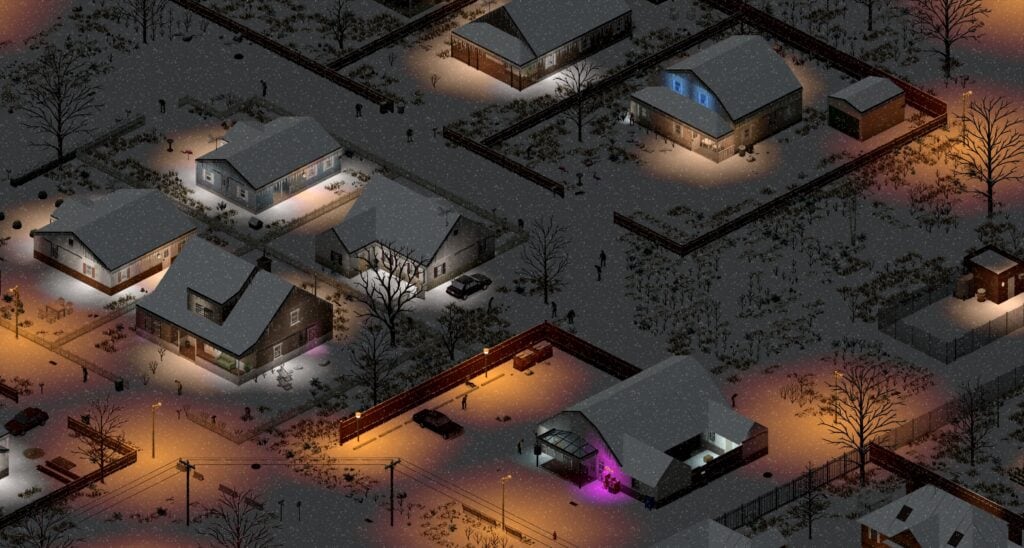
Moving a fridge across a porch is the Build 42 skill nobody maps until the tooltip stays red. Players search “how to pick up furniture Project Zomboid” because right-click is not reliable anymore: the streamlined UI wants the Move Furniture control on the left toolbar (cupboard / crate icon). This page is that cursor: Pick Up, Place, Rotate, Scrap. It is not 3D Item Placement—that gizmo offsets dropped items and hangs guns. Furniture is a different verb, different tools, different break rolls.
Pair this with Safehouse so you know why you are hauling a washer, Carpentry for skill gates, Electrical for ovens, and Best Vehicles for trunk weight.
Open the Move Furniture cursor
- Click the furniture / crate icon on the left icon strip. In Build 42 this also ties into the Building panel for placing crafted tiles.
- Choose Pick Up (up-arrow). While the cursor is open, Tab typically cycles Pick Up → Place → Rotate → Scrap (and Repair where it exists). Tab does not reopen the cursor after you cancel it—click the icon again.
- Hover a piece. Read the live panel: name, weight, tool, skill, “has items inside,” chance to break.
- If several objects share a tile, press R to cycle the target.
- Left-click when the highlight is valid. Your character walks over and performs the timed pickup. Multi-tile beds and sofas may become several inventory items.
To place: keep the cursor open and Tab to Place, or right-click the furniture item in inventory and choose Place (reopens Place mode). Aim at a free tile. R rotates facing or cycles which piece you are placing. Click / hold as the footer tip shows.
Empty containers first
Fridges, freezers, ovens, washers, dryers, lockers, and dressers must be empty. Lit barbecues and full rain collectors also block pickup. “Has items inside” in red is not a skill problem. Take the food out. See Food Preservation before you dump a freezer onto the lawn in July.
Weight is inventory room, not Strength
The panel weight is what you must free in main inventory. Typical vanilla numbers (confirm in 42.20.4):
- House fridge ~40 (mini fridge often ~10)
- Oven / washer / dryer ~20
- Microwave ~10
- Sink ~5
- Simple chairs ~5–7.5
Solo carry still tops out near 50. A 40 fridge plus a loaded backpack will not pick up. Drop the pack, pick up the fridge, walk to the van. Strength does not unlock heavier furniture; free weight does. Vehicle trunks (often 110–160 on vans) are how you move a house.
Tools and break chance
Many house fridges and simple chairs need no pickup tool and do not roll break chance. Ignore leftover level tags on those pieces.
When a tool is required and the piece can break, a common formula is (10 − skill) × 7.5% (skill 0 = 75%, skill 10 = 0%). Wrench jobs such as sinks often use a flat 25%. Windows are a special case. Always trust the live panel, not a Build 41 spreadsheet.
Tool → skill mapping you will see often:
- Hammer (sometimes crowbar) → Carpentry for wooden furniture and many metal lockers.
- Screwdriver → Electrical for ovens, washers, TVs.
- Wrench / pipe wrench → plumbing (sinks). Not a propane torch.
Bring the real tool in inventory, not necessarily in hand. A torch is for welding, not for picking up a locker.
Scrap versus pickup
Scrap / disassemble on the same cursor yields planks and a chance at nails. It is loud. It is not how you relocate a working fridge. Use Scrap when you want materials; use Pick Up when you want the object.
What you should actually move
- A fridge onto a generator bubble after shutoff.
- A washer for hygiene.
- An antique oven before winter.
- Chairs and a table so the safehouse is readable.
Do not treat furniture as a combat barricade. Zombies path. Wood burns. A soda machine might not burn; your couch will. Real window defense is barricades.
Multiplayer
Agree who owns the only fridge. Pickup is a long animation. Cover the hauler. Do not scrap a teammate’s crafting station because you were on the wrong Tab mode.
Common mistakes
- Looking for a right-click “pick up” that never appears.
- Trying 3D placement on a fridge.
- Leaving milk in the fridge and blaming Carpentry 0.
- Hauling a 40-weight fridge with a full ALICE pack equipped.
- Using a torch on a locker that wanted a hammer.
Empty it, free the kilos, open the left icon, read the panel, then walk. That is the whole furniture language.
Frequently Asked Questions
Quick answers to the most common questions.
How do I pick up furniture in Build 42?
Click the Move Furniture icon on the left toolbar, choose Pick Up, empty the object, free enough inventory weight, then left-click. Tab cycles modes while the cursor is open.
Why can’t I pick up the fridge?
It still has items inside, you lack free weight (house fridges are ~40), or you are in Place/Scrap mode. Many house fridges need no Electrical skill.
Is this the same as 3D item placement?
No. 3D placement offsets world items and hangs weapons. Furniture uses the Move cursor and can break.
How do I place furniture I already picked up?
Tab to Place on the open cursor, or right-click the item in inventory and choose Place. R rotates. The destination tile must be clear.
Will furniture break when I pick it up?
Only if the panel lists a pickup tool and the piece is breakable. Many fridges and chairs are 0%. Otherwise (10 − skill) × 7.5% is a common roll—trust the tooltip.