Project Zomboid Build 42 Mods Guide
Workshop survival after The Big Glow Up—solo, co-op, and dedicated servers.
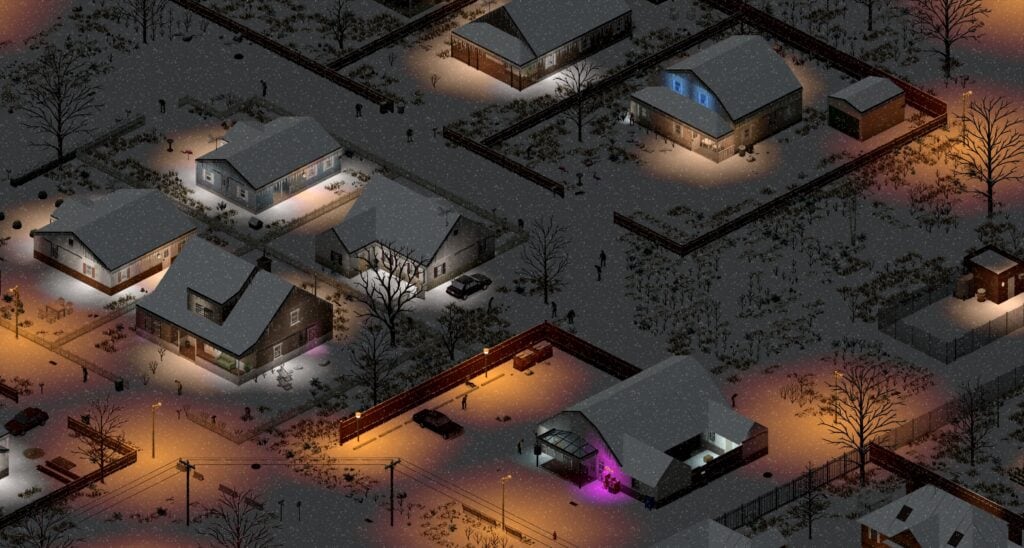
Mods extend Project Zomboid’s Early Access life—but Build 42.20 stable rewrote enough APIs that Workshop favorites from 2024 may silently fail, duplicate items, or crash clients on load. The July 2026 The Big Glow Up promotion plus 42.20.1 and 42.20.2 hotfixes (5 August 2026) made mod hygiene mandatory, not optional. Whether you host six friends or subscribe solo, treat mods as shared contracts: identical versions, identical load order, and backups before every patch week.
This guide covers Steam Workshop workflow, Build 42 folder structure, the official in-game mod manager, server WorkshopItems vs Mods lines, load order discipline, the 42.20.2 percent-sign text fix, and coordination with Returning Players Guide migration advice.
Steam Workshop and the in-game mod manager
Subscribe to mods through Steam Workshop; the client downloads them into your local workshop folder. Launch Project Zomboid and open Mod Manager from the main menu to enable, disable, and reorder entries before creating or loading a world.
Critical habits:
- Enable mods before world creation when possible—mid-save additions sometimes work but often cause missing-item errors on existing containers.
- Screenshot your load order after stable sessions; drag-and-drop changes are the fastest way to desync multiplayer groups.
- Unsubscribe dead mods instead of leaving them disabled—orphaned dependencies confuse troubleshooting.
Solo players have more freedom than servers, but solo saves still break on update day if fifty untested mods load simultaneously. Trim to a core list, confirm stability, then expand.
Build 41 mods vs Build 42 structure
Authors must ship Build 42-compatible content in 42/ or shared common/ mod folders. Legacy Build 41-only packages may appear in the browser but fail on stable with Lua errors, blank items, or instant main-menu crashes.
When evaluating a mod page:
- Check Last Updated date relative to July 2026 stable promotion.
- Read comments for “42.20” or “B42 stable” confirmation—not just “works on unstable.”
- Prefer mods listing explicit Build 42 support in the description.
- Avoid stacking three map overhauls until Build 42 Overview mapping tools settle.
Returning players migrating from Build 41 should read Returning Players Guide before assuming old collections import cleanly.
Load order: why the last mod wins
Project Zomboid resolves conflicts by load order—later mods override earlier ones for overlapping items, recipes, and map tiles. There is no magic auto-sort; hosts must publish a pinned order.
Recommended conventions for groups:
- Framework libraries first (APIs other mods depend on).
- Map mods next before item packs that reference new regions.
- Quality-of-life UI after gameplay mods unless documentation says otherwise.
- Personal cosmetic tweaks last on solo saves only—never hide gameplay mods at the bottom on servers.
When two mods fight, disable one, confirm login, binary-search the conflict. Public servers posting load order in Discord reduce support tickets more than any admin menu trick.
The 42.20.2 percent-sign text fix
Hotfix 42.20.2 addressed text parsing where literal % characters in mod Lua or text files broke displays or caused load failures. Mod authors and server admins may need %% escaping where single percent signs previously worked on unstable branches.
If a mod worked on 42.19 but throws string errors on 42.20.2:
- Check the mod’s GitHub or Workshop change log for percent-sign patches.
- Temporarily disable UI mods that inject custom tooltips.
- Wait for author updates rather than hand-editing subscribed workshop files—Steam overwrites manual edits on refresh.
Track hotfix notes via Updates Hub and Build 42 Overview.
Solo saves: backup before you experiment
Copy your save folder before enabling new mods mid-season:
- Windows:
%UserProfile%\Zomboid\Saves - Include
modssettings and your currentloadOrderscreenshot
If a mod bricks container data, restore the backup and remove the mod before loading the world again—loading once with a bad mod can persist corrupted map cells.
Solo players testing Louisville expeditions from Louisville Guide should verify map mods do not duplicate downtown cells before investing real hours.
Dedicated servers: WorkshopItems vs Mods
Server admins edit Servertest.ini (or named server INI) with two related lines:
WorkshopItems=— comma-separated Steam Workshop ID list the server downloads.Mods=— internal mod folder names the server loads, matching Mod Manager identifiers.
Every client needs both matching subscriptions and enabled mods. Common failures:
- Workshop ID on server but mod disabled locally → black screen or kick.
- Mod enabled locally but missing Workshop ID on server → desync loot tables.
- Typo in
Mods=folder name → silent partial load.
Restart the server after Workshop updates; clients should verify files through Steam before reconnecting. Full hosting context lives in Servers and Co-op alongside port and backup guidance.
Multiplayer etiquette after patches
Stable promotion weeks are fragile:
- Wait 48–72 hours before rebuilding mega collections—authors need time to patch.
- Freeze season progress during major updates; loot a safe suburb instead of downtown.
- Vote on mod removals transparently; surprise disables erode trust faster than wipes.
- Match game mode choices from Game Modes before debating mod packs—Extinction with incompatible gun mods frustrates everyone.
Admins should post Build numbers (42.20.2) in server titles so browser joiners self-filter.
Mod categories worth the risk
Lower risk after stable: UI sorting, map markers, skill tooltips, accessibility fonts.
Higher risk after stable: total conversion maps, weapon packs rewriting ballistics, animal overhauls touching Farming and Animals code, multiplayer admin tools lagging API changes.
Server-breaking if mismatched: any mod that adds items to loot tables without client copies—players see invisible loot or crash opening inventories.
When in doubt, run a test LAN world with two clients before opening public slots.
When to play vanilla
Vanilla Build 42.20 stable already includes doubled map content, animals, crafting depth, and four game modes—no mod required for hundreds of hours. Groups arguing about mod lists on day one often enjoy Apocalypse more with zero Workshop entries, then add QoL mods in week two after reading Sandbox Settings for server-specific tweaks.
Troubleshooting quick reference
| Symptom | Likely cause | Fix |
|---|---|---|
| Client kicked on join | Mod or Workshop mismatch | Compare INI Mods= and WorkshopItems= |
| Invisible items | Server mod missing locally | Subscribe and enable matching ID |
| Lua error on load | Build 41 mod on B42 | Remove or find 42/ folder update |
| Broken tooltips after hotfix | Unescaped % in mod text | Update mod or wait for 42.20.2 patch |
| Save will not load | Mod removed that added items | Restore backup or re-enable mod |
Related guides
- Servers and Co-op — hosting, ports, backups
- Returning Players Guide — save migration and branch choice
- Build 42 Overview — what changed before you mod it back
- Sandbox Settings — when presets beat mod stacks
- Firearms Guide — verify gun mods against vanilla rebalance
Frequently Asked Questions
Quick answers to the most common questions.
Why do Build 41 mods break on Build 42.20 stable?
Build 42 uses new APIs and expects mods in 42/ or common/ folders. Legacy Build 41 packages lack those structures and fail on load or spawn invisible items.
What is the 42.20.2 percent-sign fix?
Hotfix 42.20.2 changed text parsing so literal % characters in mod files may need %% escaping. Update affected UI or tooltip mods after the August 2026 patch.
How do server WorkshopItems differ from Mods?
WorkshopItems lists Steam IDs the server downloads. Mods lists internal folder names to load. Clients need matching subscriptions and enabled mods or they desync.
How long should I wait to update mods after a stable patch?
Wait 48–72 hours after major promotions like 42.20. Backup saves first, trim load order, and watch Workshop comments for 42.20.x confirmation.
Can I add mods to an existing Build 42 save?
Sometimes, but mid-save additions risk missing items or corrupted containers. Backup first, prefer enabling mods before world creation, and test on a copy.