Project Zomboid Returning Players Guide
What Build 41 veterans must unlearn before Knox County feels familiar again.
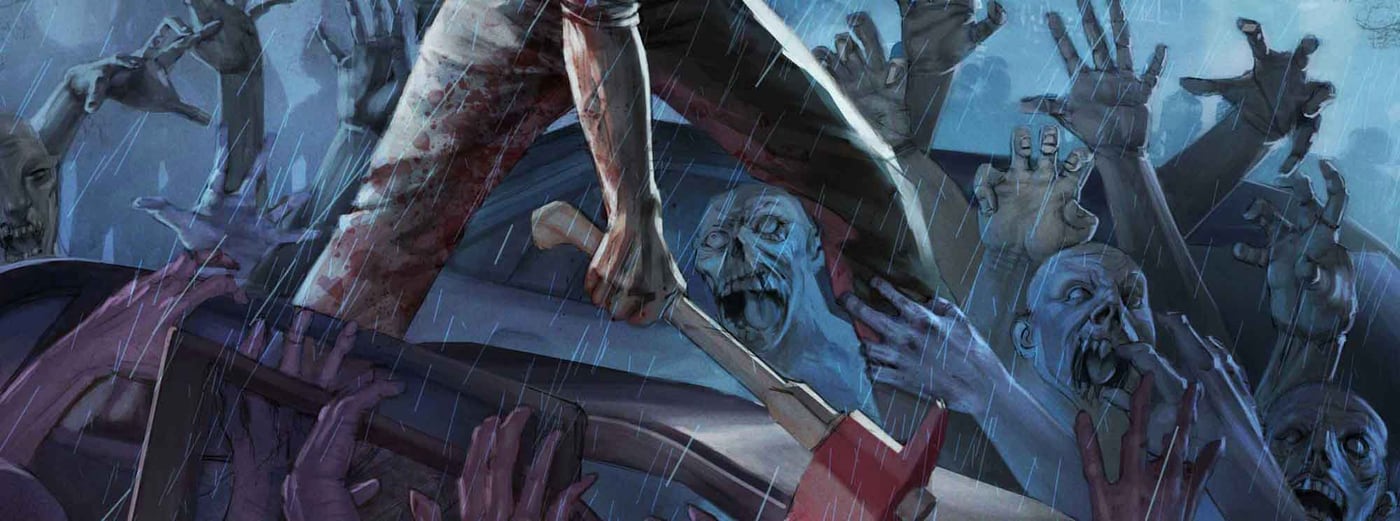
If your last Project Zomboid session ended on Build 41, treat Build 42.20.2 stable as a new season—not a patch you load over old saves. The July 2026 The Big Glow Up milestone doubled Knox County, rewrote crafting, added animals, refreshed challenges, and shipped hotfixes 42.20.1 and 42.20.2 on 5 August 2026. Veterans arrive with valuable instincts—doorway fighting, utility timers, barricade logic—but those instincts collide with new UI, darker lighting, rebalance loot tables, and save boundaries that do not forgive assumptions.
This guide is for players who already know how to shove-stomp and fill bathtubs. It covers migration reality, Steam branch choices, muscle memory traps, mod fallout, and a practical fresh-start checklist without repeating every pillar already documented in Build 42 Overview.
Save incompatibility: read this before clicking Continue
Build 41 saves do not load in Build 42. That line is not negotiable for most players—The Indie Stone rebuilt core systems across years of unstable work, and the stable promotion assumes new worlds. Within Build 42, treat minor hotfixes as usually compatible, but 42.19 unstable worlds are not guaranteed to open cleanly in 42.20 stable. If your group debated “just one more week on unstable,” assume that week may cost the entire save.
Before any branch switch:
- Copy your entire
Zomboiduser folder to external storage. - Note your mod list and load order in a text file.
- Decide whether the emotional cost of restarting beats the technical cost of troubleshooting corrupted characters.
Most returning veterans who fight migration spend more hours debugging than they would spend re-rolling a curated Getting Started run with better sandbox knowledge.
Steam branches: stable, legacy41, and 42.19
Right-click Project Zomboid in Steam → Properties → Betas to choose your line:
- Stable (default) — Build 42.20.x. This is where new mapping, animals, crafting UI, and Game Modes live. Match public servers and wiki guides here.
- legacy41 — Build 41 access for nostalgia runs or finishing old saves. Do not expect new content; do expect mod ecosystems frozen in time.
- 42.19 (or prior unstable labels when listed) — transitional testing branches. Useful only if you accept breakage; not where new players or returning groups should camp long term.
GOG players face similar branch concepts through version selectors—verify platform-specific notes on update days. Multiplayer groups must match exact build numbers; one friend on legacy41 desyncs everyone else instantly.
Fresh start advice that respects your experience
Restarting is not punishment—it is how Build 42 rewards re-learning intentionally:
- Pick one game mode and commit. Apocalypse is the default canon experience; Game Modes explains when Outbreak, Rising, or Extinction fit your group better than sandbox tinkering.
- Spawn in a reworked town on purpose. Muldraugh and Riverside changed layout and loot density. Walk Knox County Towns before assuming your old street-clearing route still works.
- Revisit character builds. Occupations and traits expanded. Run Beginner Builds math even if you never needed guides before—Build 42 artisan and rancher paths reward planning.
- Schedule a mod-light first week. See Mods Guide before reinstalling fifty Workshop favorites on day one.
Muscle memory traps that kill veterans
Loot routes and container tables
Build 42 rebalance means hardware stores, pharmacies, and residential kitchens do not spawn identical staples. Your mental map of “always nails in this aisle” may fail silently until you are mid-construction without materials. Rebuild routes using Loot Routes phase lists instead of decade-old YouTube lines.
Darker lighting and readability
The Big Glow Up improved presentation, but interiors and weather states punish players who sprint through dim hallways expecting Build 41 brightness. Carry flashlights, slow corner clears, and re-read Stealth and Noise—veterans over-trust sprint keys because they “already cleared this block.”
Crafting UI and recipe literacy
Crafting moved into a searchable unified interface tied to Blacksmithing and Crafting. Veterans who ignored forging in Build 41 now hit bottlenecks—propane tanks, anvils, and kiln chains matter for mid-game independence. Open the crafting panel early and star recipes you will need before day fourteen.
Animals and ecology
Chickens, cows, and wild tracking were not part of your old muscle memory. Even if you ignore husbandry, wild animals alter foraging loops and base perimeter planning. Skim Farming and Animals before dismissing the system as optional fluff.
Gun stores and metal shutters
A classic veteran trap: bringing a sledgehammer to a gun store metal shutter. Build 42 expects propane torch work for many welded barriers—see Firearms Guide for loot prep that matches current gate mechanics. Noise discipline still applies; torch time attracts stragglers if you rush.
Mod breakage after 42.20 stable
Expect 48–72 hours of chaos after each stable promotion. Workshop mods targeting Build 41 APIs fail until authors publish 42/ or common/ folder structures. Server hosts see duplicate mod entries, missing items, and client kick loops when load orders diverge by one line.
The 42.20.2 hotfix addressed mod text parsing—percent signs in Lua or text files may require %% escaping where single % worked on unstable. Full troubleshooting lives in Mods Guide; coordinate with your Servers and Co-op admin before declaring a season dead.
Multiplayer returning groups
Treat the stable drop as a season boundary vote:
- Backup server saves before upgrading.
- Publish a pinned mod collection link everyone must match.
- Agree whether Louisville expeditions wait until the group re-gears—Louisville Guide is endgame content, not a day-three detour.
Voice coordination matters more when crafting icons and radial menus shifted. Assign one person to read Updates Hub patch summaries aloud on update night.
Recommended reading order for veterans
- Build 42 Overview — pillar changes and 42.20 map stats
- Game Modes — Apocalypse vs Outbreak vs Rising vs Extinction
- Challenge Modes — Top of the World and 28 Seconds Later rotation
- Mods Guide — Workshop survival after hotfixes
- Getting Started — only if you want a structured day-zero reset without ego
Mindset for Early Access in 2026
Project Zomboid still has no paid DLC and no announced 1.0 date. Build 42.20 stable is progress, not completion. Returning players who accept one fresh Apocalypse run—mods trimmed, routes re-walked, crafting panel learned—typically enjoy the update more than save surgeons fighting incompatibility warnings for nostalgic bases that cannot translate anyway.
Frequently Asked Questions
Quick answers to the most common questions.
Can I load my Build 41 save in Build 42.20 stable?
No for most players—Build 41 and Build 42 saves are separate lines. Backup old saves and start a new world on stable, or stay on the legacy41 Steam beta to finish Build 41.
Will my Build 42.19 unstable save work in 42.20 stable?
Not guaranteed. Minor hotfixes within 42.20.x usually stay compatible, but unstable-to-stable jumps often break. Backup first and expect a fresh start if loading fails.
Which Steam beta should returning players use?
Default stable for Build 42.20 content. Choose legacy41 only to access Build 41 saves. Avoid lingering on 42.19 unless you accept breakage.
Why do my old loot routes feel wrong in Build 42?
Container tables, town layouts, and new towns like Brandenburg and Irvington changed Knox County. Rebuild routes using current wiki guides instead of Build 41 muscle memory.
How long should I wait to reinstall mods after a stable patch?
Give favorite mods 48–72 hours after major promotions. Read Mods Guide for load order, folder structure, and the 42.20.2 percent-sign text fix.